$ ssh you@anywhere
The terminal your servers deserve, on the phone in your hand.
Conduit is a mobile-first workspace for SSH, Mosh, and SFTP. Hardware security keys, tmux, and a real Linux shell, engineered so working from your phone never feels like a compromise.



- Open source/
- No telemetry/
- Reproducible builds
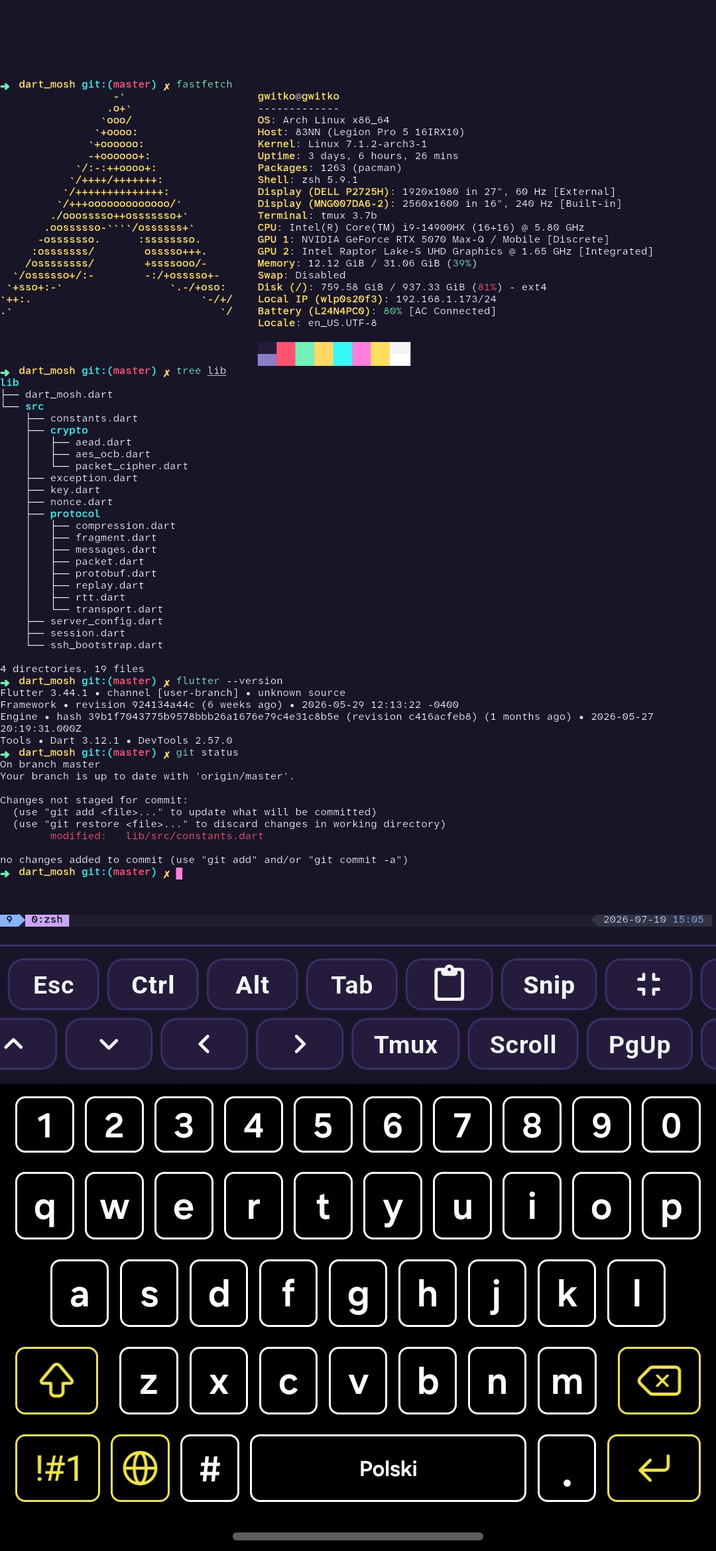
Everything a working engineer reaches for over SSH, reworked for a touch screen without dumbing anything down.
SSH & Mosh
Sessions that survive the subway
Full SSH with agent forwarding, plus Mosh for connections that ride out dead zones, IP changes, and sleep. Close the app, hop networks, come back, and your shell is right where you left it.
- SSH with key, password, and agent forwarding
- Mosh roaming over flaky mobile links
- Predictive local echo when latency spikes
Workflow
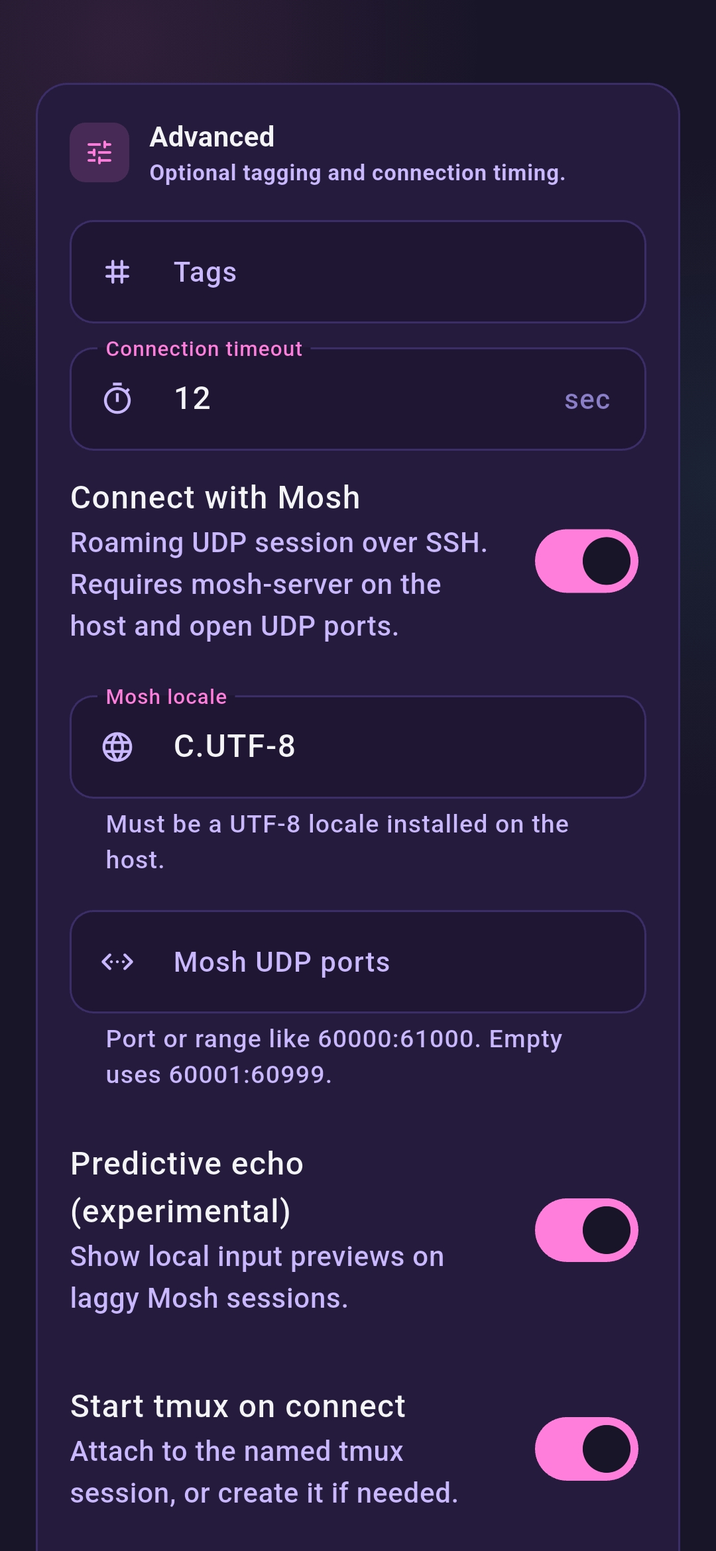
Run coding agents from the train
Start Claude Code or Codex on the machine where your repo actually lives, then steer it from your phone. It runs in a real shell over SSH or Mosh, so a subway dead zone never kills the run.
- Full-fidelity TUIs for Claude Code and Codex
- Long runs keep going through network drops
- Approve, redirect, and read diffs on the go
Your machines
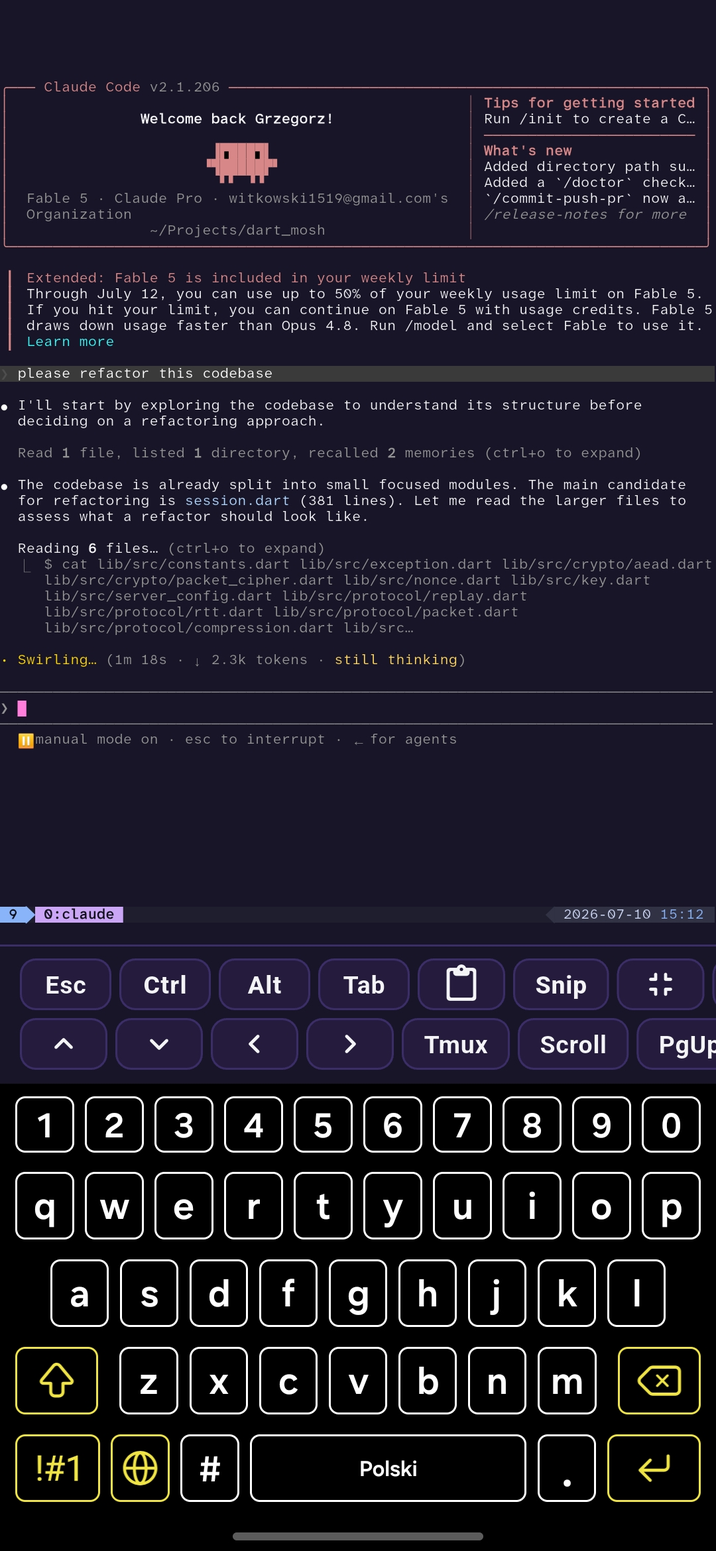
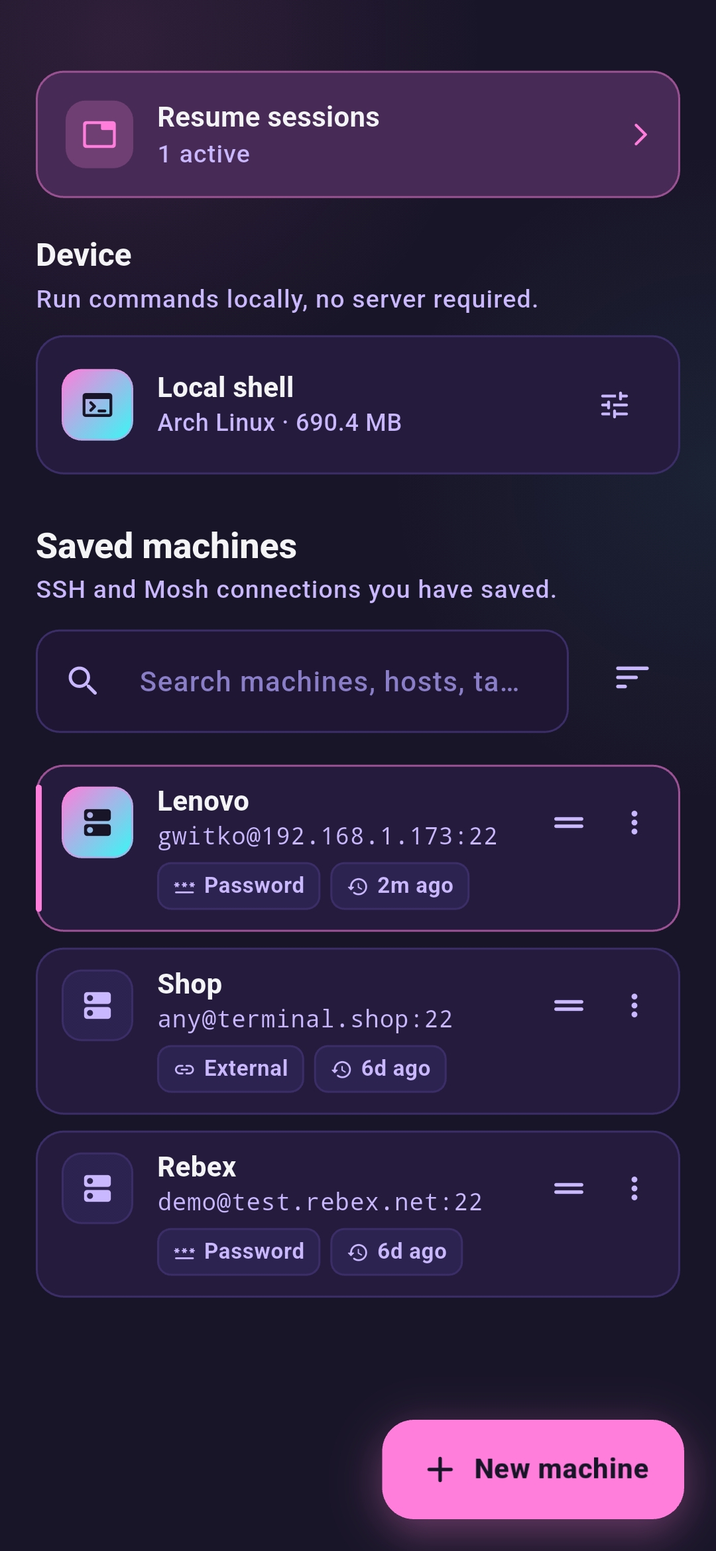
Every box you own, one tap away
Save machines with their keys, tags, and per-host settings, then filter, search, and sort them however you think. Sessions open in tabs, so production, your homelab, and that one VPS are all a swipe apart.
- Saved profiles with tags and search
- Sort by last used, name, or drag your own order
- Tabbed sessions across every host
tmux
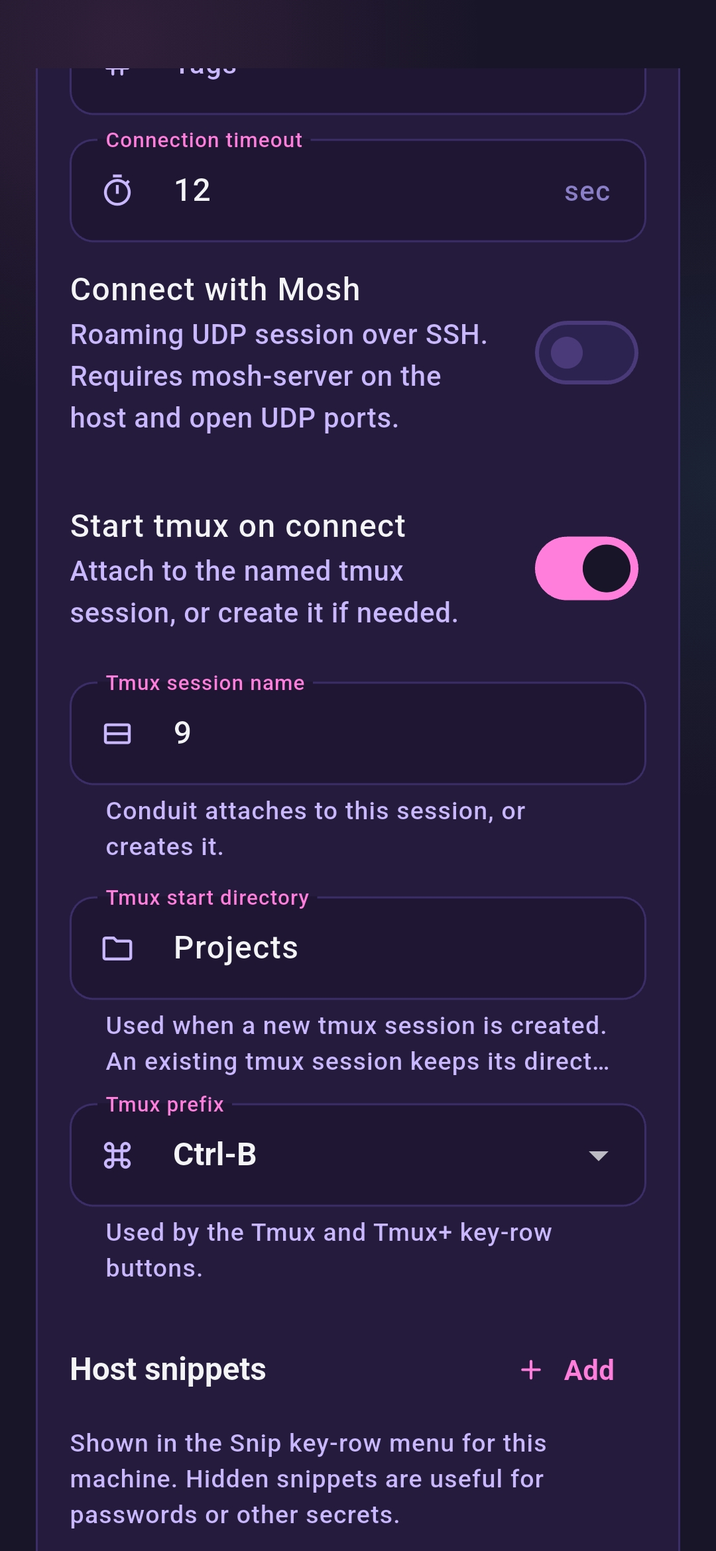
tmux, attached before you type
Flip one switch on a host and every connect attaches to your tmux session, or creates it, in the directory and under the name you chose. Prefix, action, and scrollback keys live right in the key row, so Ctrl-B chords stop being finger yoga on glass.
- Auto attach or create on connect
- Per-host session name and start directory
- Prefix, actions, and scrollback in the key row
Workflow
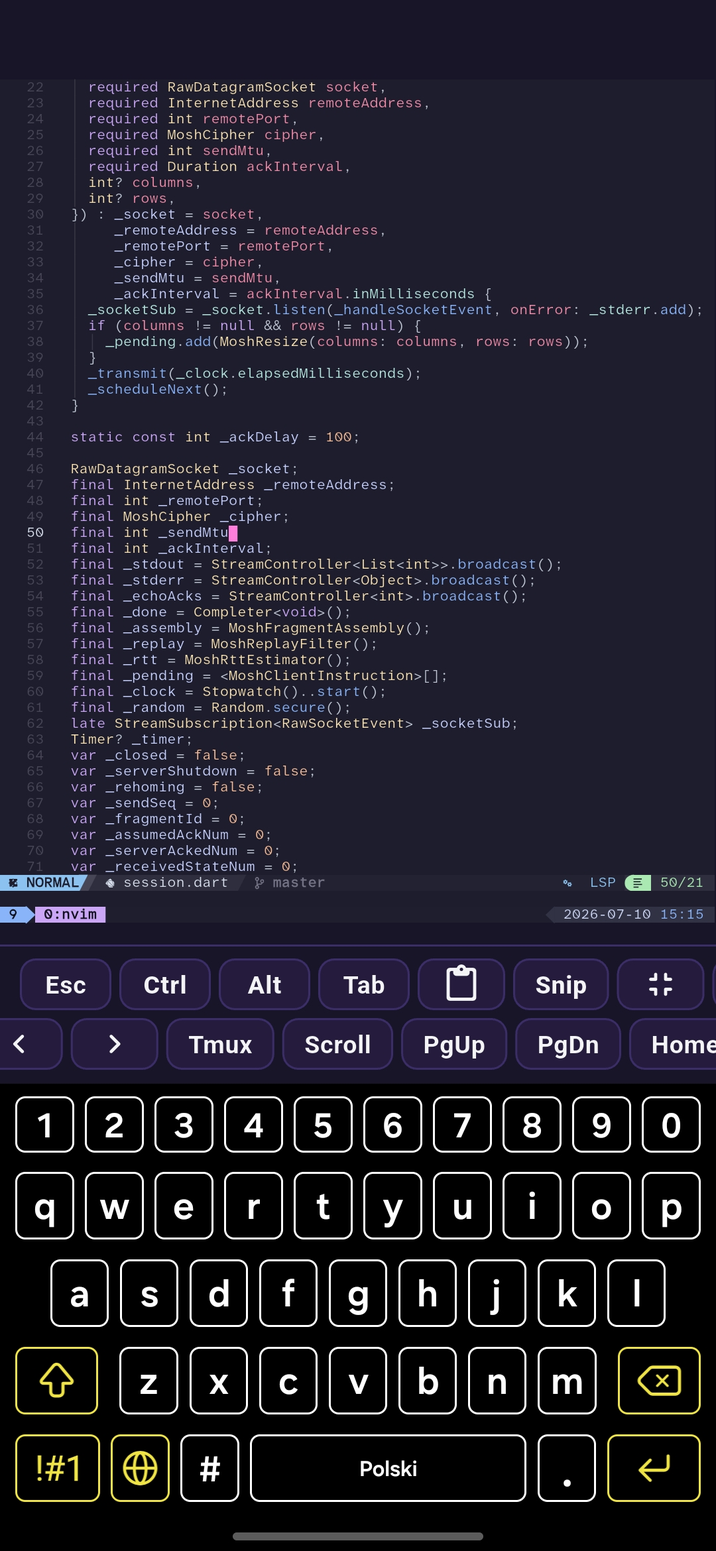
Edit like you never left your desk
Open nvim over SSH and get your real setup: plugins, LSP, treesitter, all of it. True color and a bundled Nerd Font mean icons and syntax land exactly the way they do on your laptop.
- True-color rendering with ligatures
- Nerd Font glyphs built in
- btop and redraw-heavy TUIs stay smooth
Input
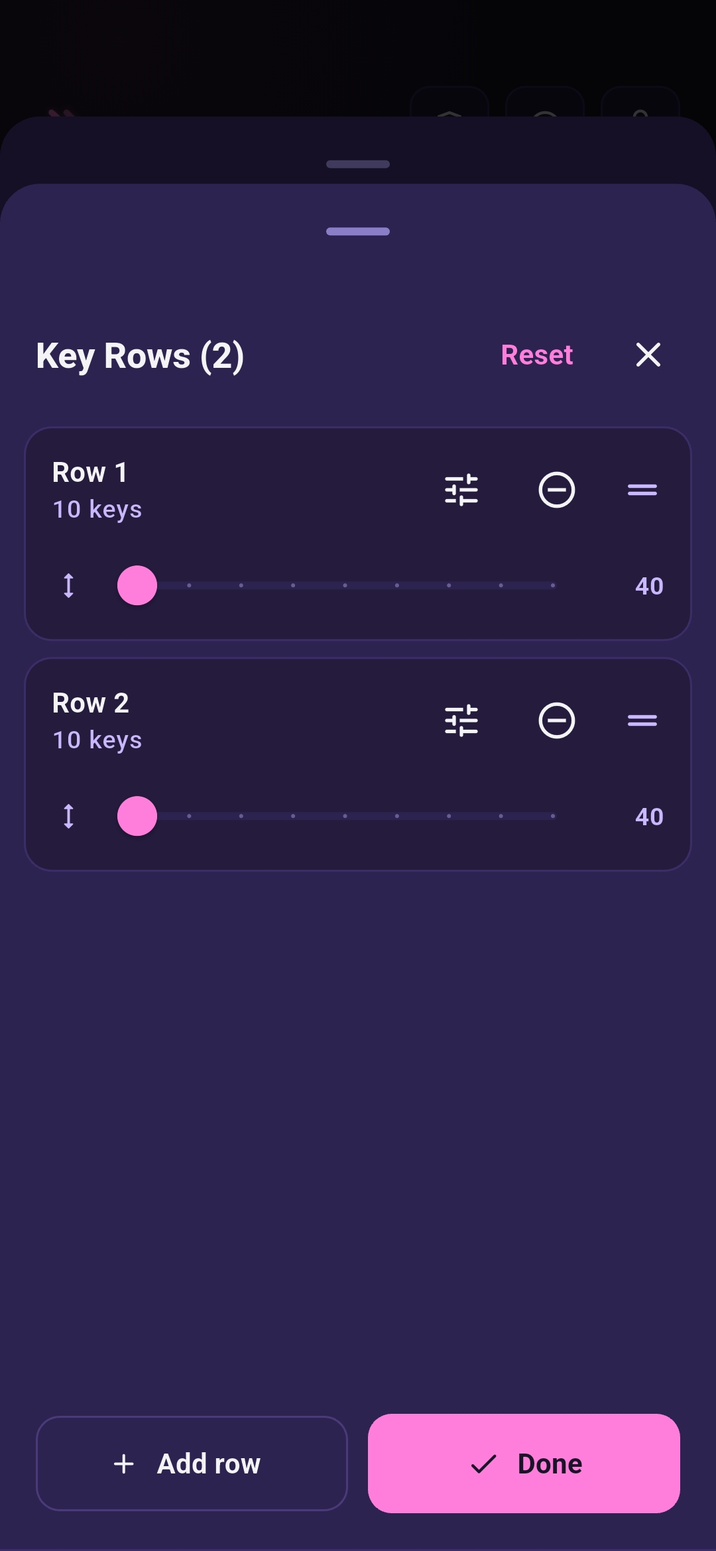
The keys your phone keyboard forgot
A configurable row above the keyboard carries Esc, Ctrl, Tab, arrows, and function keys, with latching modifiers and real key repeat. Add your own snippets and control combos, or flip on compose mode and stage a whole line with the native keyboard before it hits the shell.
- Latching Ctrl and Alt, arrows that repeat
- Custom snippets and control-key combos
- Compose mode for full IME input
SFTP
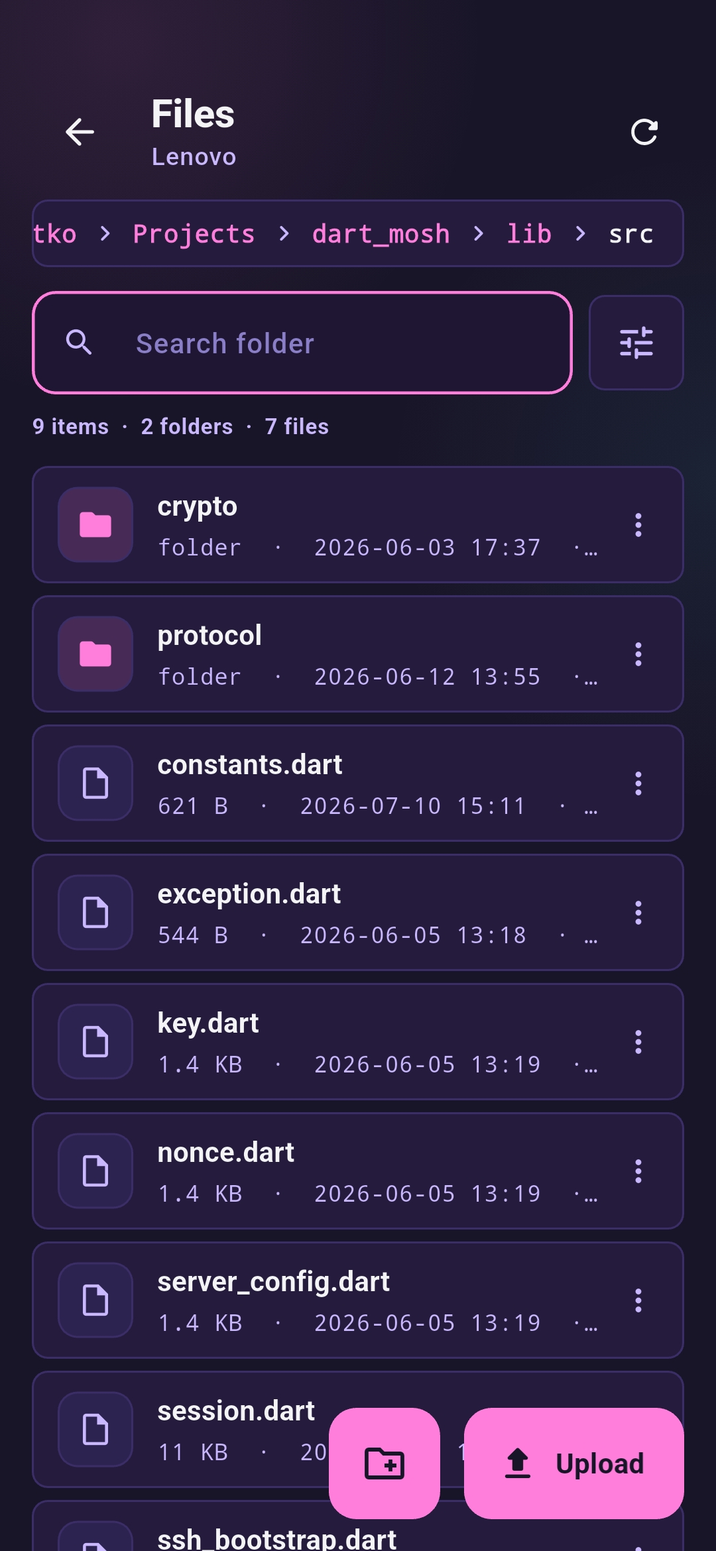
Move files without leaving the app
A built-in SFTP browser sits next to your session. Navigate remote trees, upload, download, rename, and delete. No separate app, no context switch.
- Browse remote filesystems visually
- Upload and download in a tap
- Rename and delete in place
Appearance
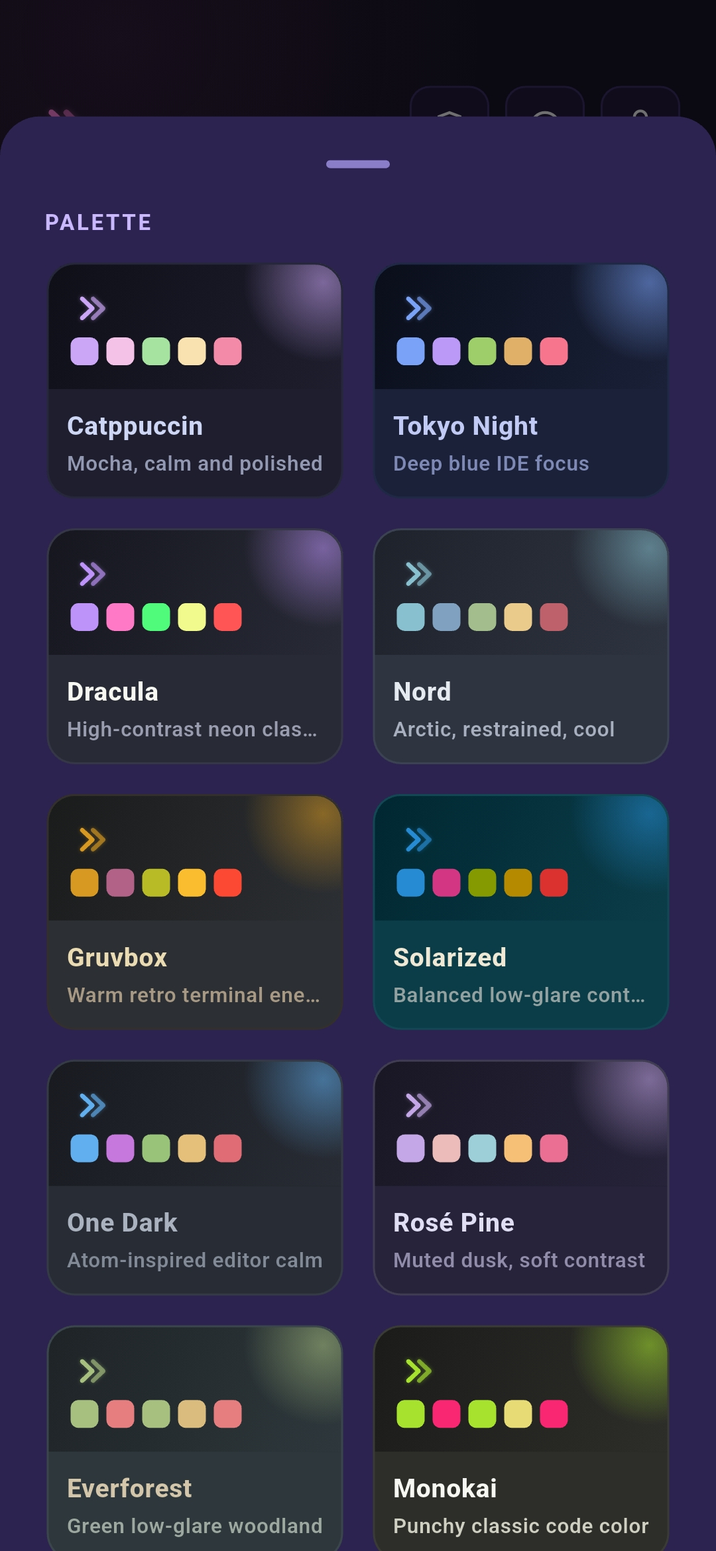
Sixteen colorschemes, zero config
Catppuccin, Tokyo Night, Gruvbox, Nord, Dracula and more, each tuned end to end so the terminal, UI chrome, and syntax all agree. Pick one and the whole app follows.
- 16 hand-tuned palettes
- Consistent across terminal and UI
- Light and dark for every theme
On-device
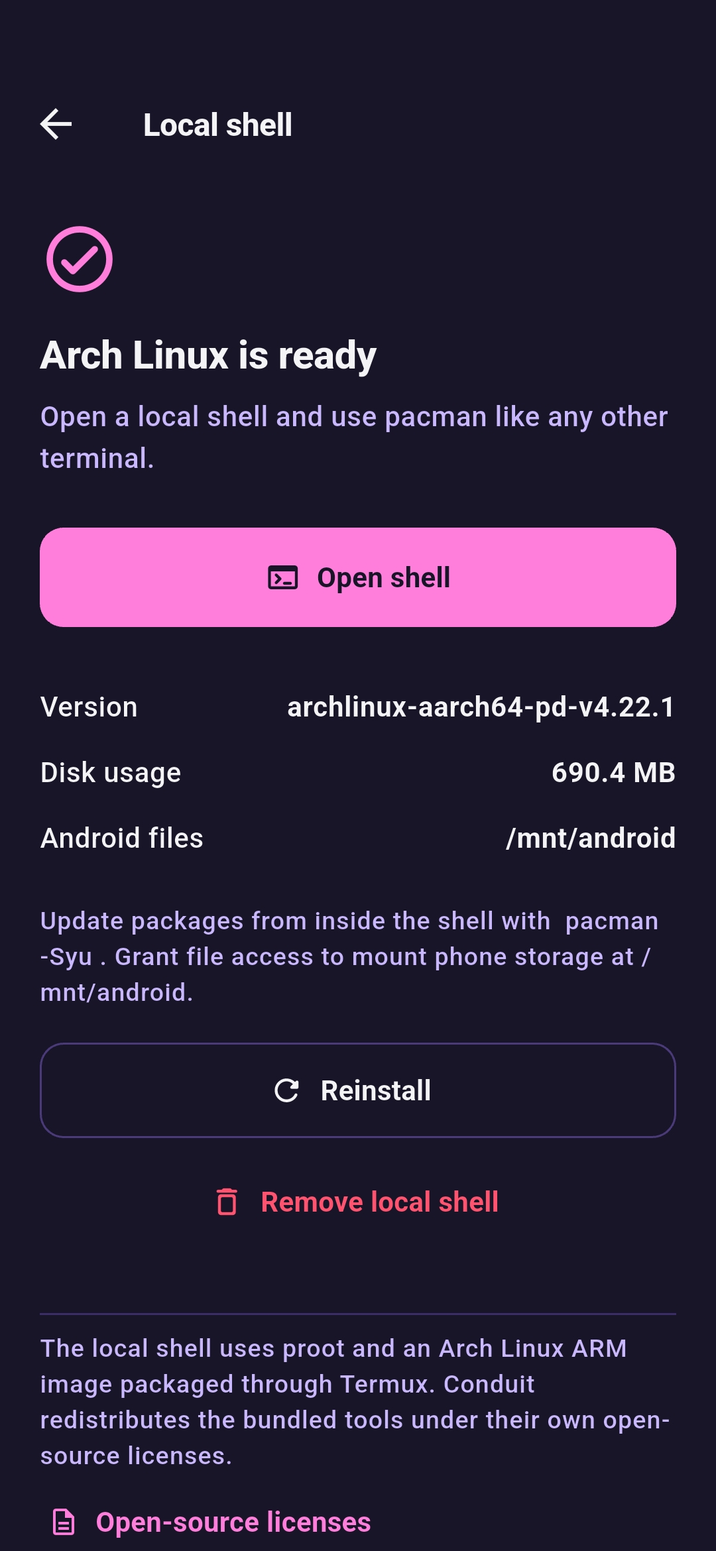
A whole Linux box, no server required
On Android, Conduit can boot a local Arch Linux userland through proot: pacman, compilers, and your favorite CLI tools running unprivileged on the phone itself. No root, and nothing to connect to.
- Full Arch Linux with pacman
- Unprivileged, no root needed
- Works completely offline
Security
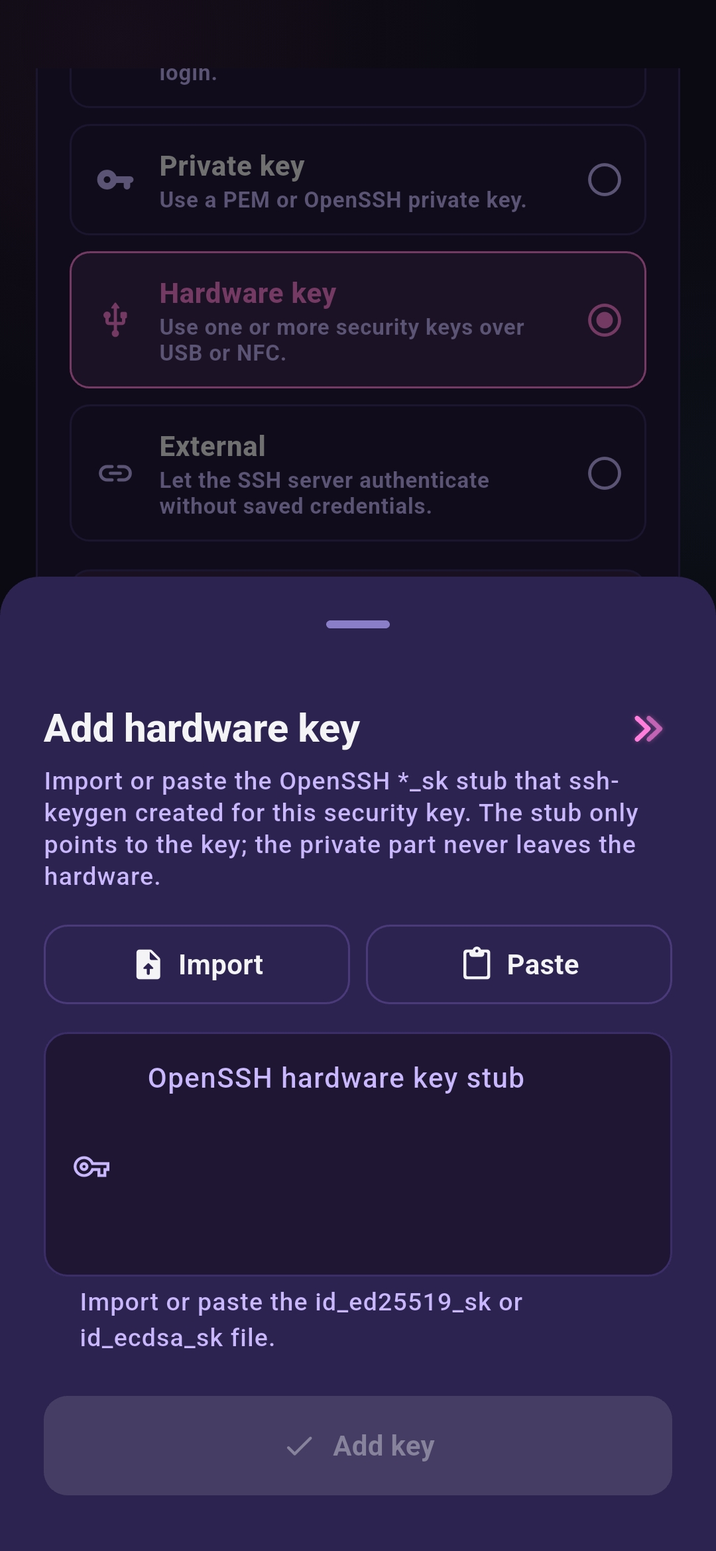
Log in with the YubiKey in your pocket
Conduit speaks FIDO2 over NFC and USB. Tap your hardware key to authenticate. Private keys never leave the device, and nothing phishable ever touches your phone. Enroll several keys on one machine and connect with whichever one you have on you.
- Multiple keys per host: backup, work, and travel keys without duplicate entries
- Credentials live in the secure enclave, with no cloud, sync, or account
- Optional app lock with device biometrics or your passcode
- Host key fingerprints shown for explicit review, on a trusted list you manage
Open source
Auditable, reproducible, yours
Conduit is fully open source and published on F-Droid with reproducible builds. No trackers, no analytics, no accounts. The code you can read is the app you run.
100%
Open source, from crypto to keyboard
0
Trackers, ads, or telemetry endpoints
4
Ways to install: App Store, Google Play, F-Droid, Obtainium
Put a real terminal in your pocket
Free, open source, and ready on the App Store, Google Play, F-Droid, and Obtainium.